Find out if a suspicious WordPress site has file-level malware signals before you start cleanup.
SiteVault gives agencies and technical operators a free Lite Scan: read-only SFTP, a private bearer report, and no signup before you decide whether deeper paid scan or cleanup help is needed.
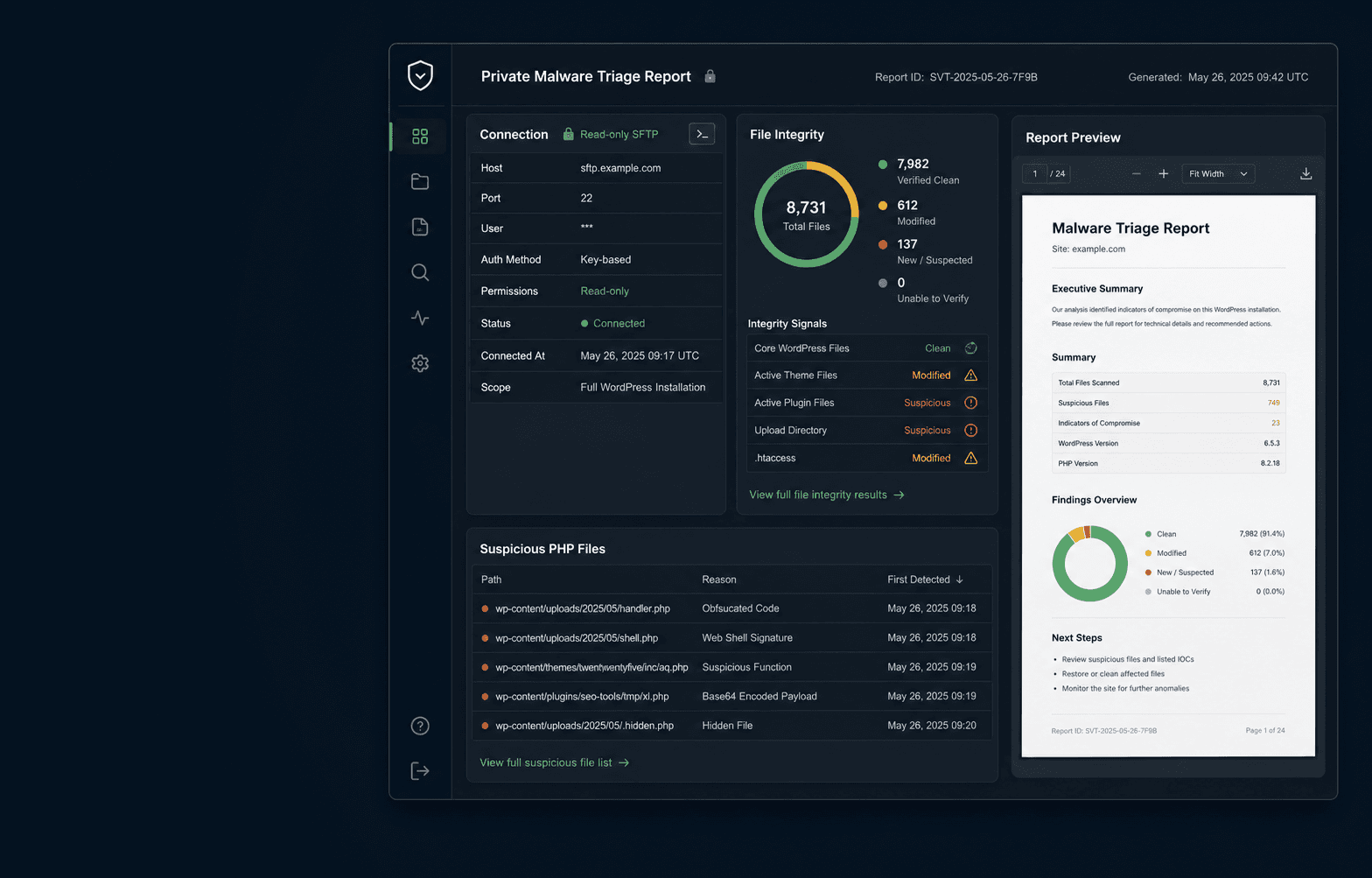
Built for the point where you need evidence, not panic.
A focused first report before you commit to paid work.
Free WordPress Lite Scan
No signup. Submit temporary SFTP access, confirm the SSH host key fingerprint, and receive a private report link for high-risk file and path inspection.
Paid Full Scan
Broader file inspection when Lite coverage is not enough for the incident.
Paid Expert Review
A human review path for suspicious findings before risky cleanup decisions.
Paid Cleanup Help
Remediation support after compromise is confirmed. Checkout is not part of this page.
What the free scan checks.
WordPress core integrity signals
Compares common core paths and flags mismatches that deserve review.
High-risk PHP files
Inspects risky filenames, writable locations, and suspicious executable paths.
Uploads PHP and executable paths
Looks for PHP where WordPress media directories should usually hold assets.
Obfuscated PHP patterns
Highlights encoded, packed, or evasive PHP patterns often seen in malware.
Optional FTP transfer log anomalies
Adds context from xferlog-style FTP logs when you choose to upload one.
Objections addressed before you share credentials.
Read-only SFTP access: SiteVault does not write, edit, or delete files.
Temporary SFTP credentials are recommended, then removed after the scan.
SSH host key fingerprint is required before the scanner connects.
Credentials are encrypted for scan execution and purged after completion, failure, cancellation, or stale recovery.
Result and PDF URLs are bearer links. Treat them as sensitive incident material.
Preview the report before sharing SFTP access.
The sample report shows how findings, scan scope, limitations, and next steps are presented so you know what you will receive before starting a scan.
View sample reportA Lite Scan is triage, not a full compromise investigation.
No WordPress database inspection, including wp_options content.
No rogue admin user checks or malicious cron/options review.
No server process, memory, or runtime forensics.
No promise that a low-risk Lite Scan means the whole site is clean.